Everything smarter.tickets does.
A sale has four parts: setting it up, selling, the door and running it. This is what you get in each.
Before the sale
Set up the hall, the tickets and the sale once, and use them again for every event.
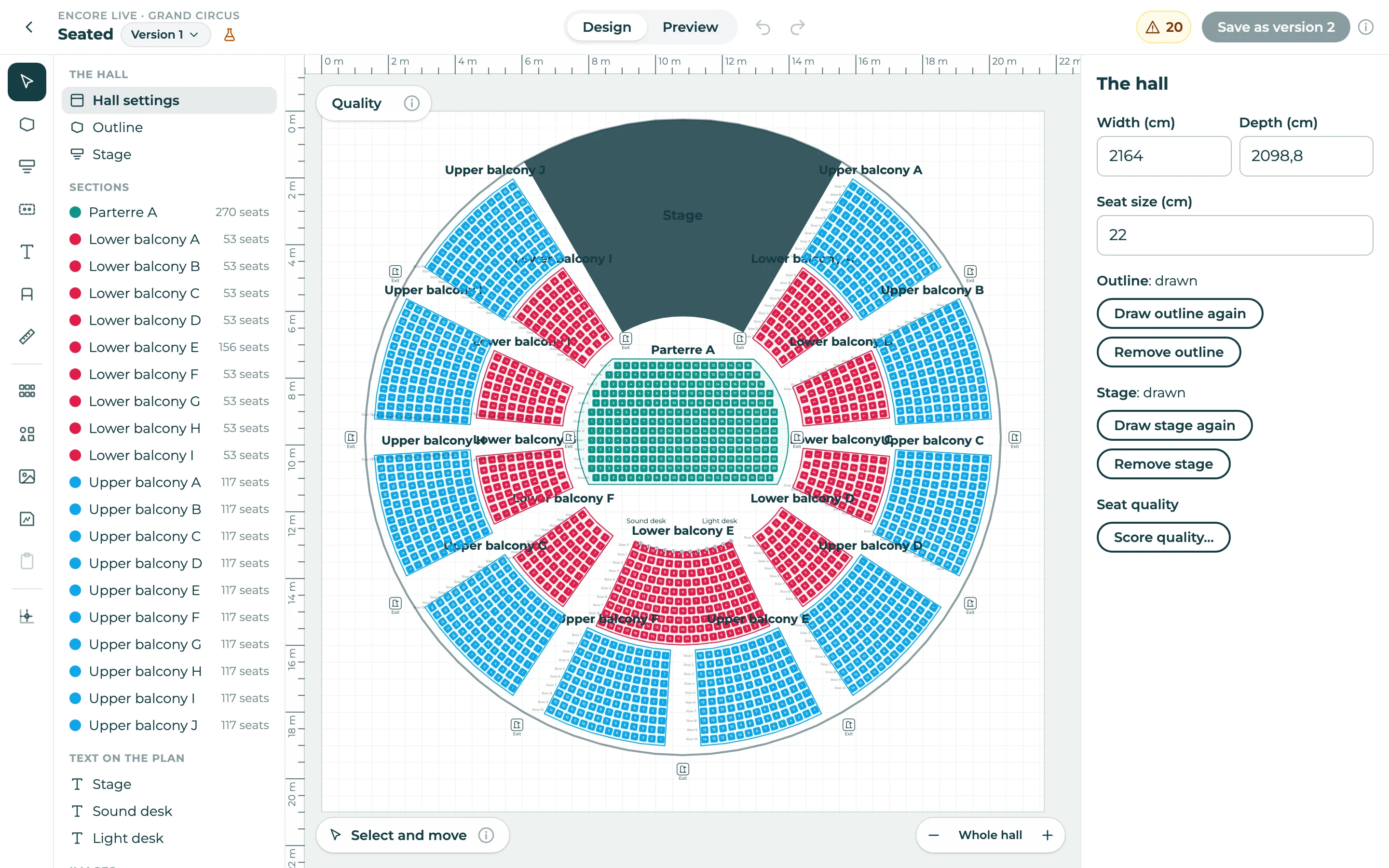
- Your hall, drawn once
- Draw numbered sections, curved rows, standing areas, a stage, exits and wheelchair spaces, and use the plan for every event. Or sell free seating by the number of places.
- Tickets that look like you
- Design the ticket with your logo, colours and pictures. It goes out as a PDF by email, and as an Apple Wallet or Google Wallet pass.
- An event page in your look and feel
- Pick a layout for the page of an event, with your colours, your logo and your pictures (dark mode too), in every language your audience speaks.
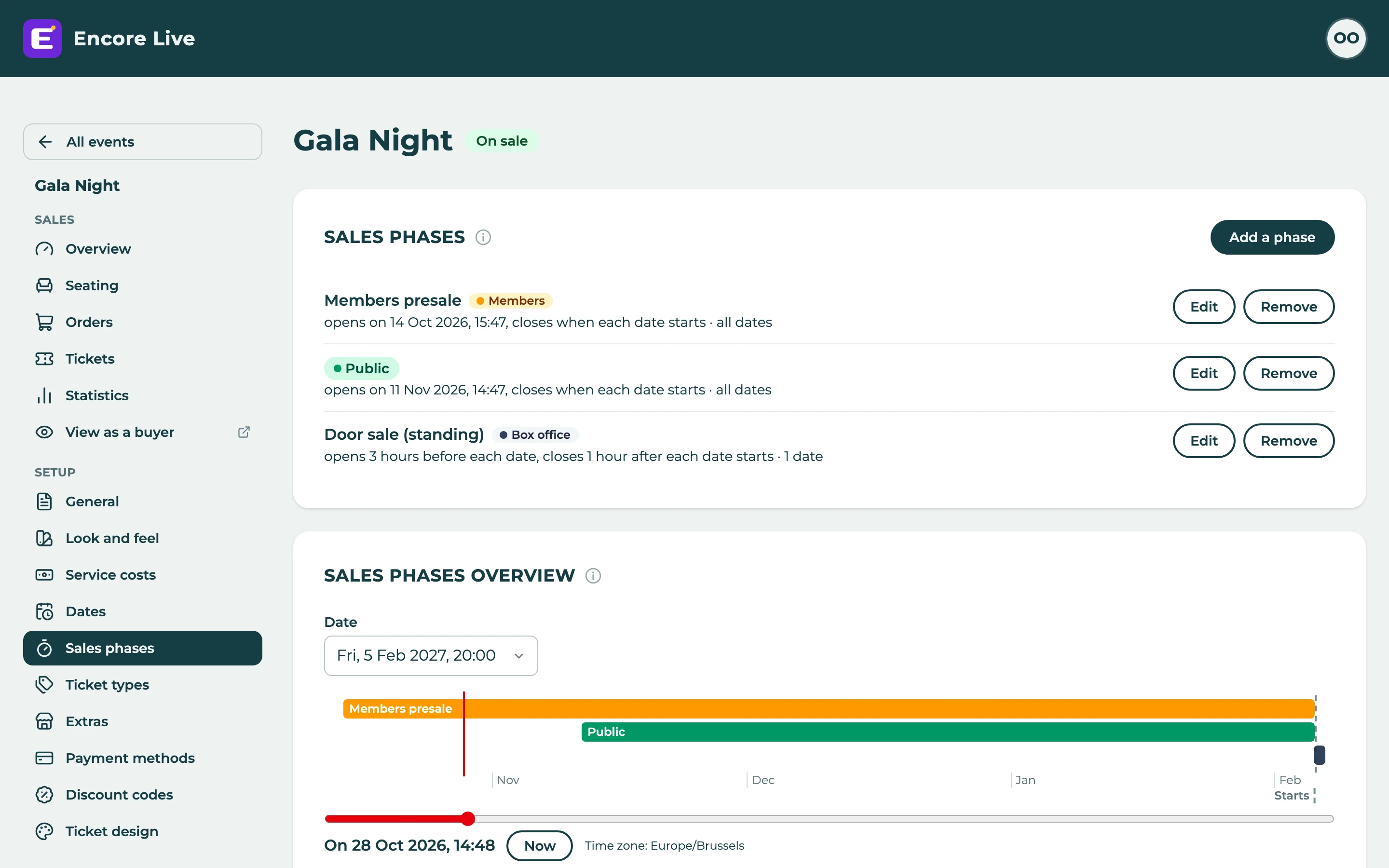
- Flexible sales phases
- Decide who can buy what, and when. Open a presale for your members first, then the public sale, set a different price or a maximum per ticket type: that's just one way to do it.
- Try it before you publish
- While an event is a draft, order on it as a buyer would, with real payments. Publishing cancels and refunds the test orders, and they never count in your figures.
During the sale
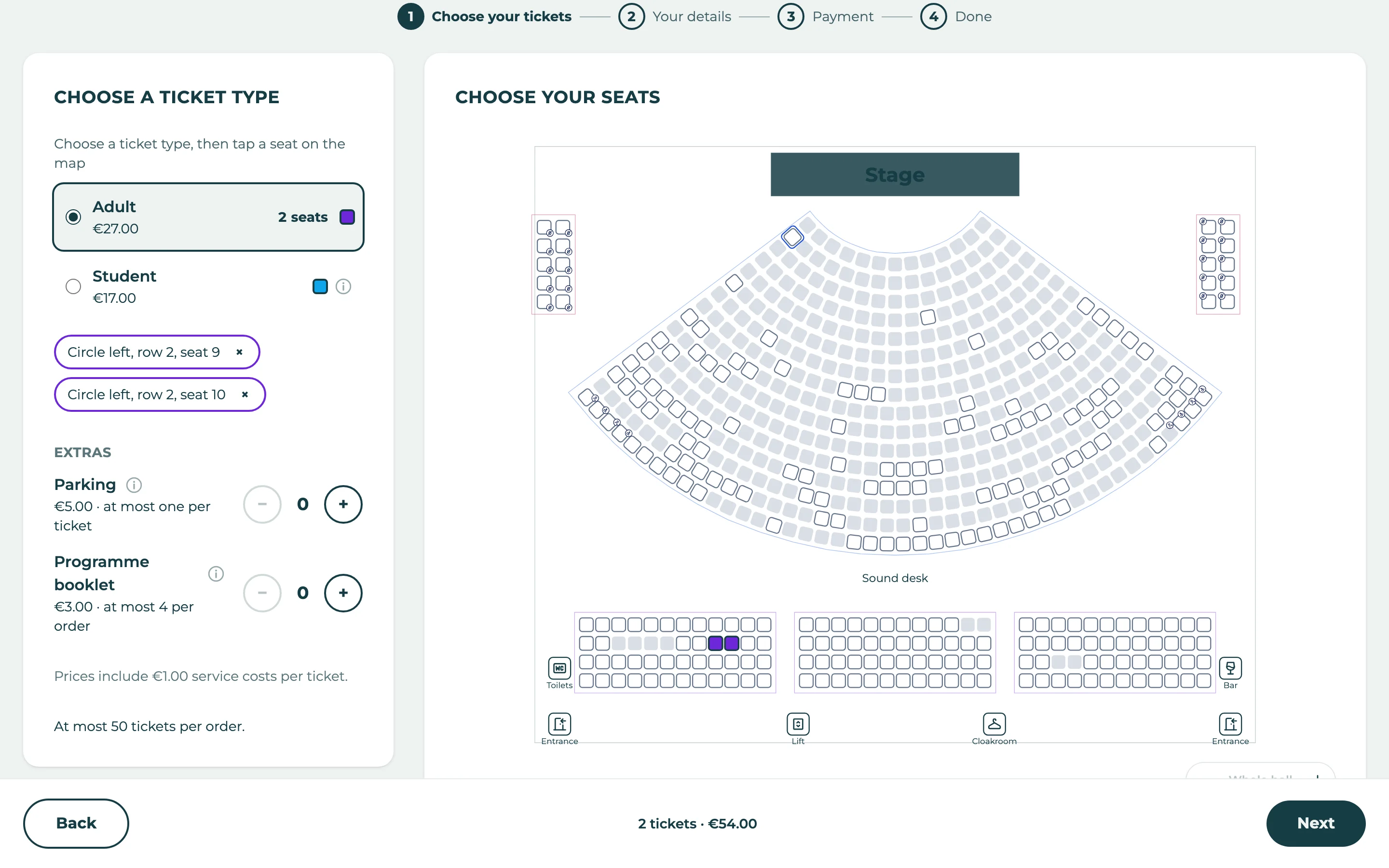
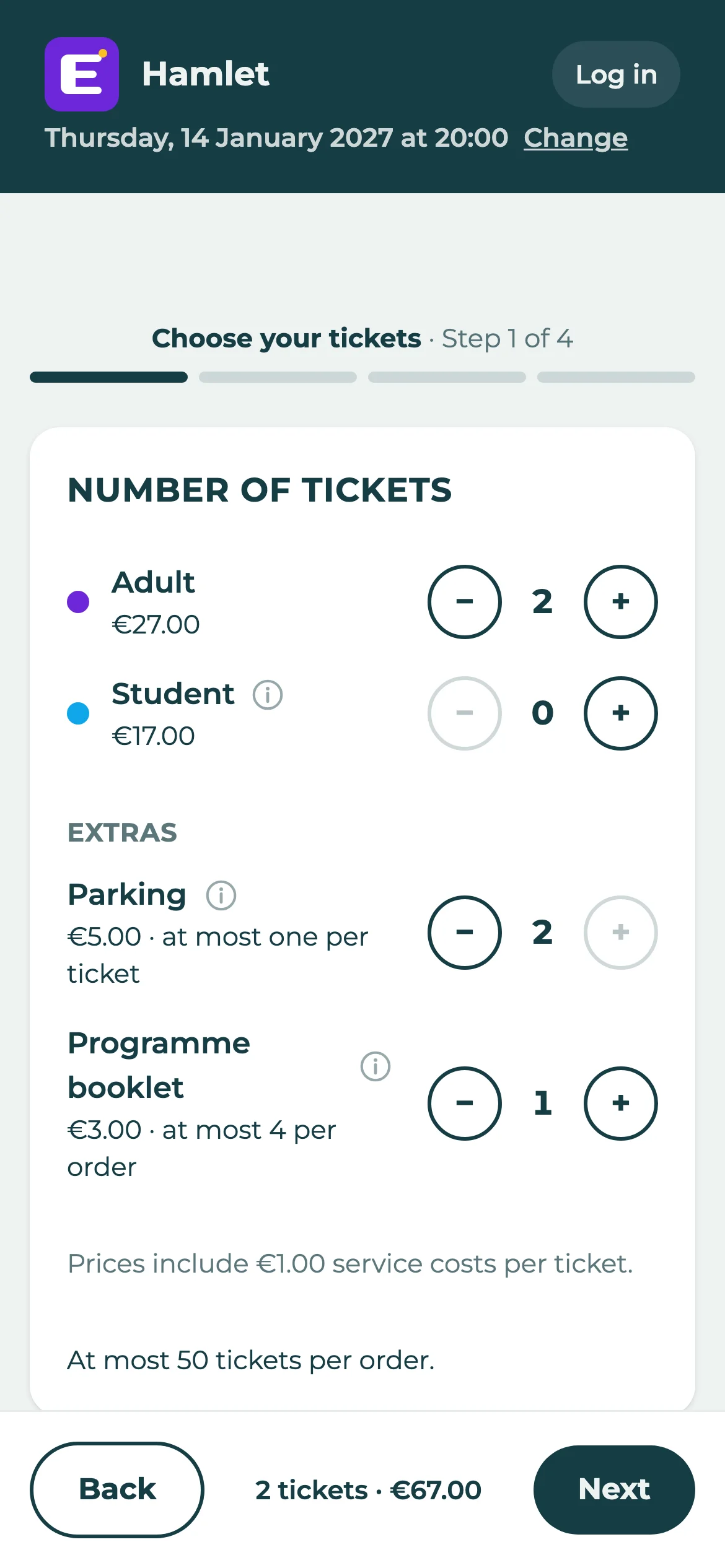
Buyers are through in four steps on any phone, and you can sell tickets yourself too.
- Four steps, no account
- Choose tickets, fill in your details, pay, done. Buyers pick their seats on the plan, or get the best seats left, and one tap on a free seat moves the whole group.
- Paid, straight to you
- Card, Apple Pay, Google Pay, Bancontact and iDEAL, or a bank transfer with a structured reference. The money goes to your own account.
- Discount codes
- Hand out a code for a group, a sponsor or a promotion: one that many buyers share, or one of their own for each guest.
- Extras
- Sell anything along with the ticket: a parking space, a programme, a drink voucher, a donation, or whatever else you want to offer.
- A box office
- Take an order for someone else yourself, and register how they pay, cash included. Give sponsors and guests free tickets.
At the door
Your door staff scan with their own phones, with or without signal.
- Check-in apps for iPhone and Android
- Scan the QR code on a ticket: on paper, in the PDF on a phone, or in Apple Wallet or Google Wallet. The screen is green, red or orange at once, with the reason. Each ticket gets in once, and every check-in is recorded under the name of who scanned it.
- Works without signal
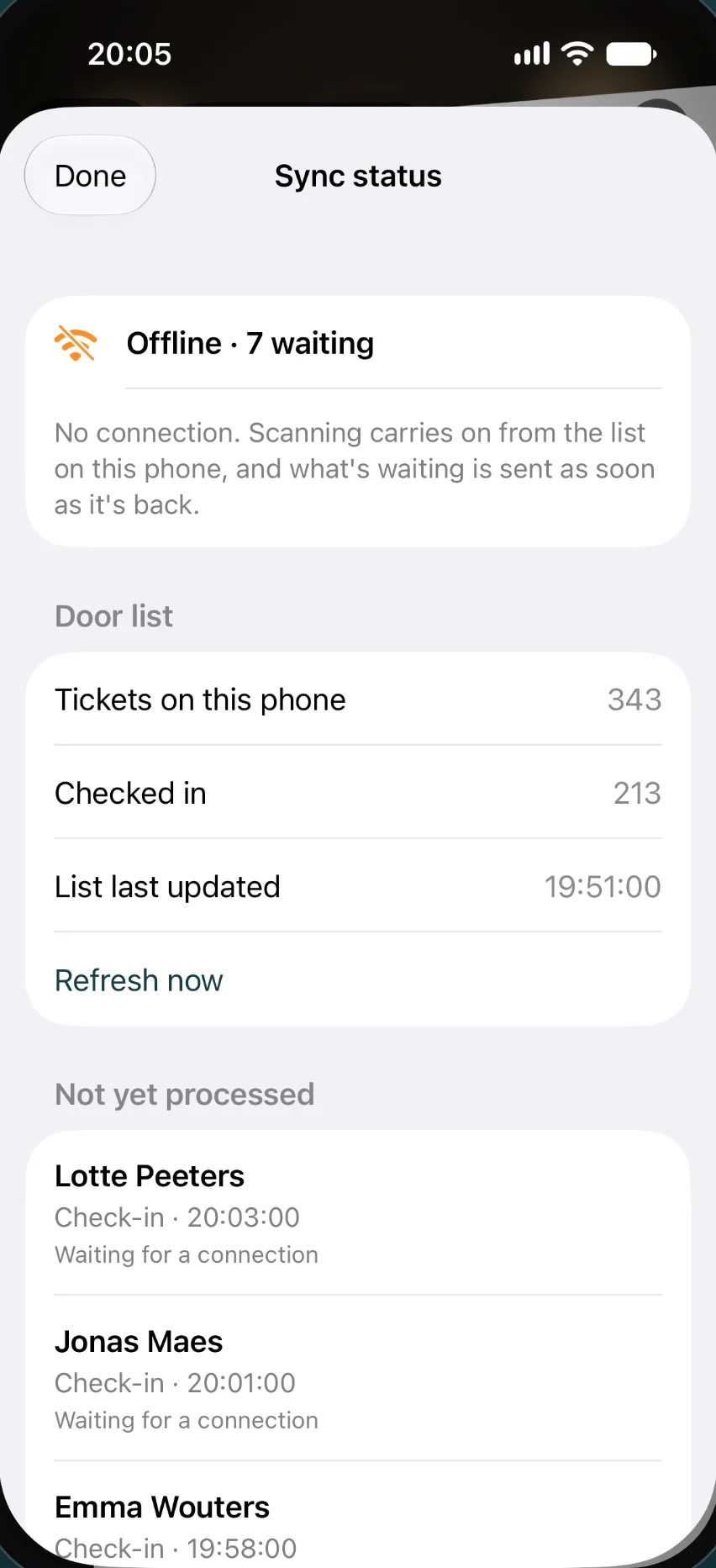
- The door list is on the phone, so scanning carries on in a hall with no reception, and what's waiting is sent as soon as it's back.
- Several doors at once
- Phones share their scans whenever they're online, so a ticket scanned at one door is known at the others, and the earliest scan wins.
- Pay at the door
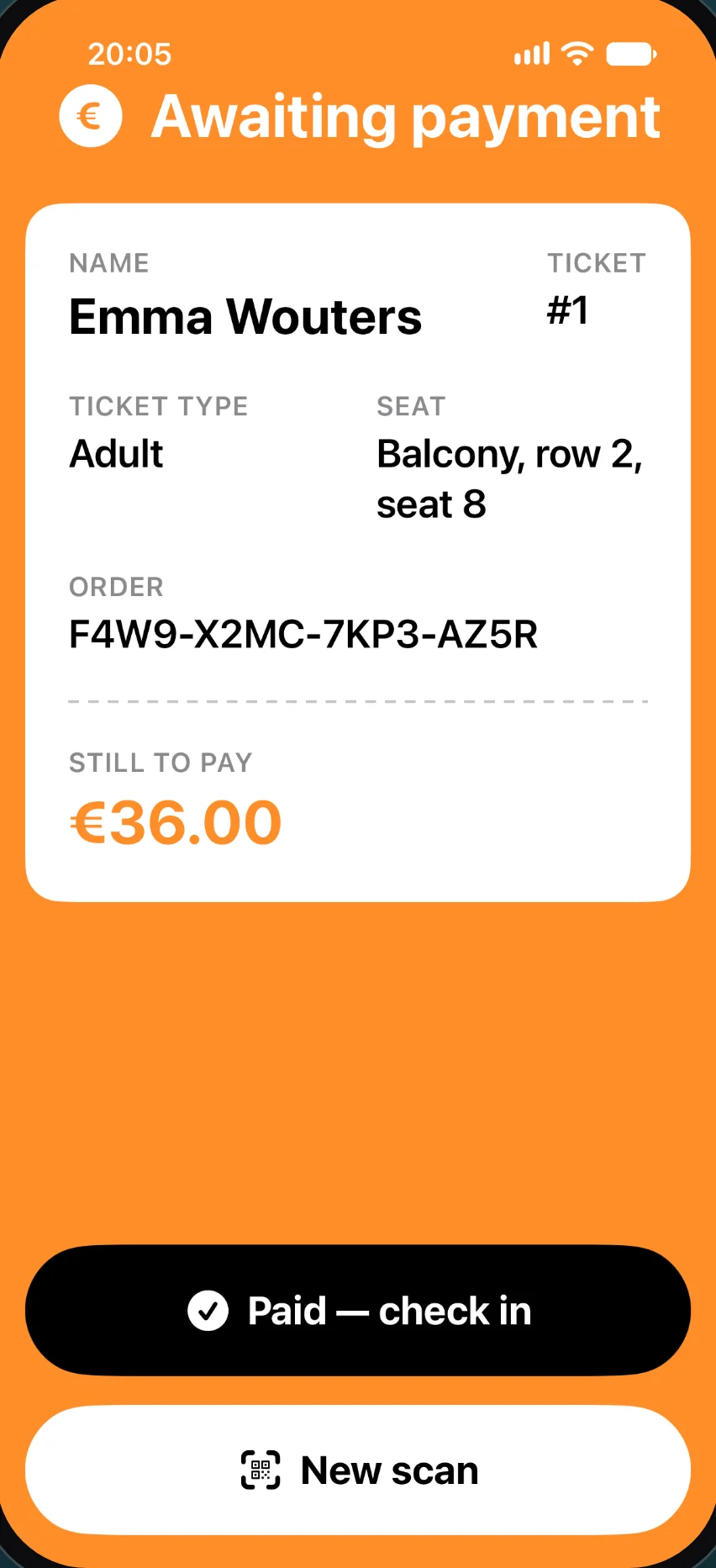
- A buyer who pays when they arrive is told what's still to pay, and one tap marks it paid and checks them in.
- Live, and on paper
- Watch check-ins appear on the seating plan, and print a door list as a PDF as a backup.
Running it
Follow your sales as they happen, put mistakes right, and give your team and your website the access they need.
- Dashboard and statistics
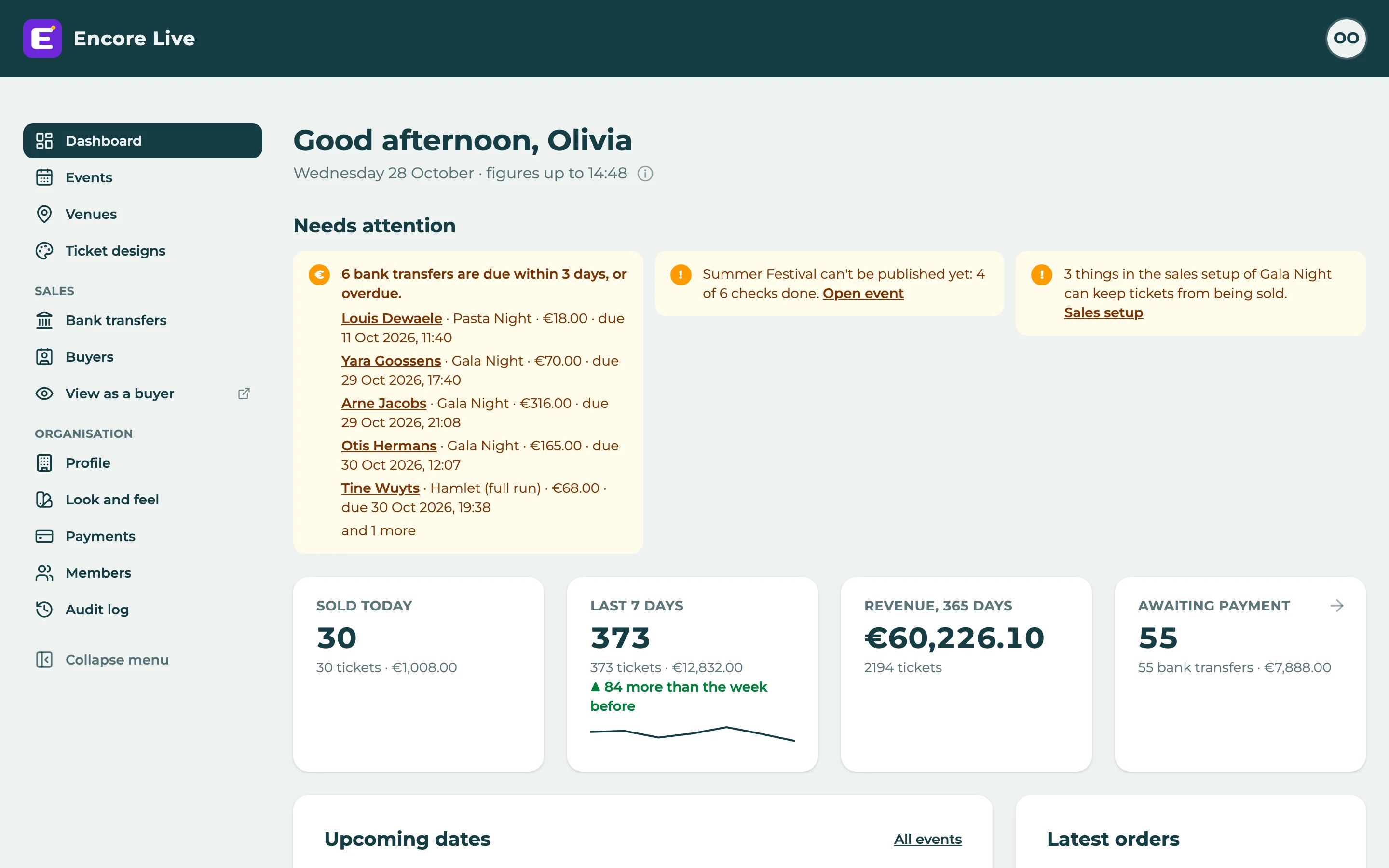
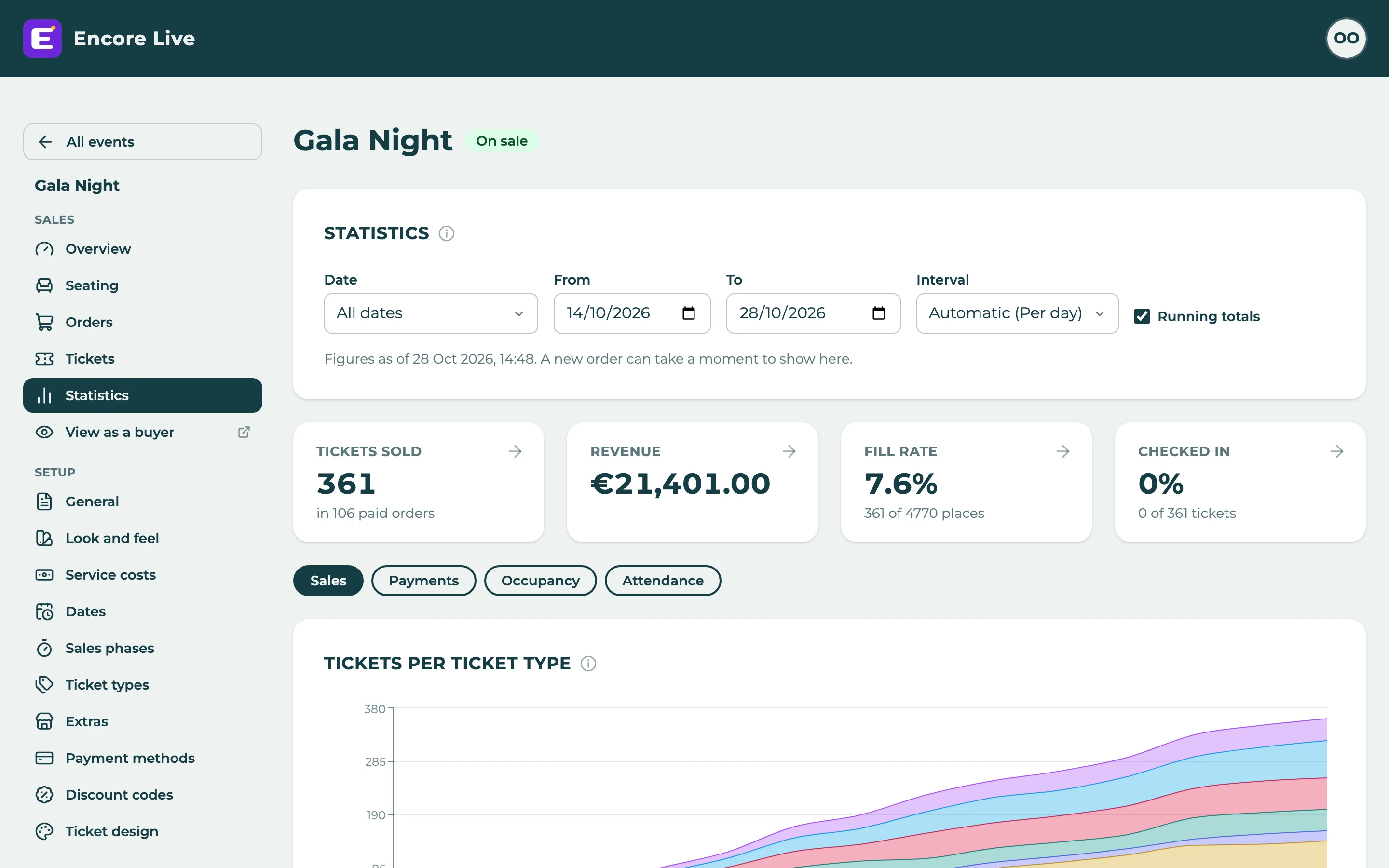
- What sold today, revenue, fill rate and attendance, per event and per date, and what needs your attention. Take an event's orders out as a CSV file.
- Refunds
- Refund an order, or cancel only some of its tickets, with a seat swap if you'd rather move a ticket, and an email to the buyer.
- Roles for your team
- Owners, admins and door staff each see what they need, and every change goes in an audit log.
- A website API
- Show your events and what's left on your own website, with keys you make yourself.
- Help when you need it
- A help centre and a support chat, right in the admin.
All of this for €0.10 per ticket.
No subscription, no plans: everything on this page is in it. Create your organisation and try it with a test order before you publish.
- €0.10 per ticket sold
- Free tickets stay free: no fee on them
- Nothing to pay while nothing is on sale